Getting visitors to your website is an important first step, but traffic alone does not guarantee sales. A website can receive hundreds or even thousands of visitors and still generate very few enquiries or purchases.
If your website has traffic but no sales, the problem may not be the amount of traffic. It could be the quality of your visitors, your website experience, your offer, your pricing, or the way you guide visitors towards making a purchase.
Understanding where visitors are dropping off can help you identify the real problem and improve your conversion rate.
1. Your Traffic Is Not Relevant
One of the most common reasons for low sales is attracting the wrong audience.
For example, someone searching for general information may visit your website but have no intention of buying anything. Similarly, a visitor may be located outside the area where your business operates.
Ask yourself:
- Are visitors searching for your products or services?
- Are they located in your target market?
- Are they likely to become customers?
- Are they visiting informational pages rather than buying pages?
- Do your marketing campaigns target the right audience?
A smaller amount of highly relevant traffic can produce more sales than a large amount of unrelated traffic.
2. Your Website Does Not Clearly Explain What You Sell
Visitors should understand your offer quickly.
If your homepage contains vague statements such as “We provide innovative solutions” without explaining what the business actually does, visitors may leave before exploring further.
Your website should clearly communicate:
- What you offer
- Who it is for
- What problem it solves
- Why customers should choose you
- What visitors should do next
Clear messaging can reduce confusion and help visitors make decisions.
3. Your Calls to Action Are Weak
Visitors may be interested in your product or service but still leave because they do not know what to do next.
Use clear calls to action such as:
- Buy Now
- Get a Quote
- Book a Service
- Request a Callback
- Start Your Order
- Contact Us
- Schedule an Appointment
Make important calls to action easy to see without overwhelming the page with too many buttons.
4. Your Website Is Difficult to Navigate
If visitors cannot find the information they need, they may leave instead of purchasing.
Your navigation should make important pages easy to find.
For example, a service business may need clear links to:
- Services
- Individual service pages
- About
- Pricing
- FAQs
- Contact
An online shop should make it easy to browse categories, view products, add items to a basket, and complete checkout.
5. Your Product or Service Pages Are Weak
A visitor may be interested in your offer but still decide not to buy because the page does not provide enough information.
A strong product or service page should explain:
- What the customer receives
- Main benefits
- Important features
- Price or pricing information
- Who the product or service is for
- What makes it different
- Common questions
- How to buy or enquire
The page should answer the questions customers normally have before making a decision.
6. Customers Do Not Trust Your Website
People may hesitate to buy from a website if they cannot determine whether the business is legitimate and reliable.
Trust can be improved with:
- Genuine customer reviews
- Testimonials
- Case studies
- Clear contact information
- Business details
- Professional photographs
- Clear policies
- Secure payment options
- Information about guarantees where applicable
Avoid making exaggerated claims that you cannot support.
7. Your Website Looks Outdated
An old-fashioned or poorly maintained website can create doubts about the business.
Signs of an outdated website can include:
- Old design
- Poor mobile layout
- Low-quality images
- Broken links
- Outdated information
- Difficult navigation
- Small or difficult-to-read text
- Slow loading pages
You do not always need a complete redesign. Fixing the most obvious problems can make a significant difference.
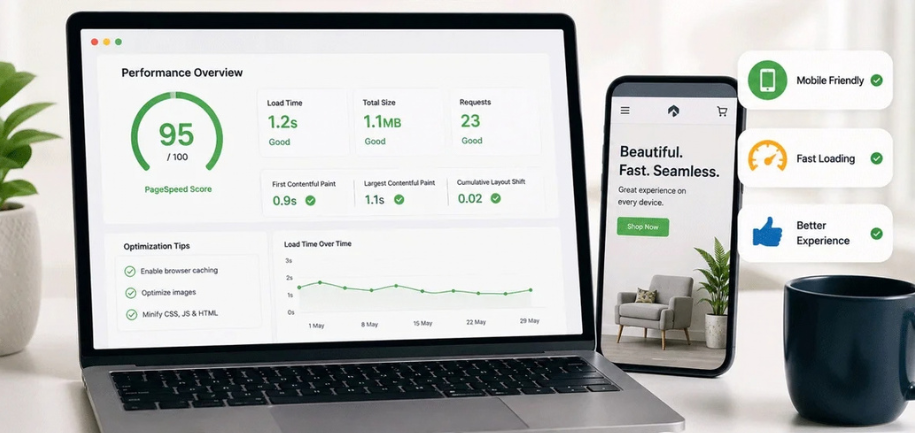
8. Your Website Is Too Slow
A slow website can cause visitors to leave before they reach your sales pages.
Large images, unnecessary scripts, poor hosting, excessive plugins, and unoptimised content can all contribute to slow performance.
To improve speed:
- Compress images
- Use appropriate image sizes
- Remove unnecessary features
- Optimise scripts and styles
- Use caching
- Keep website software updated
- Choose suitable hosting
- Test mobile performance
Speed should be considered part of the overall customer experience.
9. Your Website Is Not Mobile-Friendly
Many people browse websites from smartphones. If your website looks good on a desktop but is difficult to use on a phone, you may lose potential customers.
Check that:
- Text is readable
- Buttons are easy to tap
- Images fit the screen
- Forms work correctly
- Menus are easy to use
- Product information is visible
- Checkout is simple
Test the complete buying or enquiry process on a real smartphone.
10. Your Pricing Is Confusing
Visitors may leave if they cannot understand how much your product or service costs.
If possible, make pricing information clear.
For services where the price depends on the project, explain:
- What affects the price
- What is included
- Whether customers can request a quote
- What happens after submitting an enquiry
You do not always need to publish exact prices, but visitors should understand how pricing works.
11. Your Offer Is Not Strong Enough
Sometimes the website is not the main problem. The product, service, price, or overall offer may not match what customers want.
Consider whether your offer provides a clear reason to choose your business.
You might improve the offer by:
- Clarifying the main benefit
- Improving the service package
- Providing different options
- Explaining what is included
- Removing unnecessary complexity
- Making the value easier to understand
The goal is to make the customer’s decision easier.
12. Your Checkout or Enquiry Process Is Too Complicated
Even interested visitors can abandon a purchase if the process is difficult.
For online sales, avoid unnecessary checkout steps.
For enquiries, avoid asking for excessive information.
A simple process might be:
- Choose a product or service.
- Review the details.
- Complete the required information.
- Confirm the order or enquiry.
The fewer unnecessary obstacles, the easier it is for visitors to complete the desired action.
13. Your Website Has Too Many Distractions
A page can lose conversions when visitors are surrounded by competing messages.
Too many:
- Pop-ups
- Banners
- Offers
- Animations
- Buttons
- Social media widgets
- Promotional messages
can make it difficult to focus on the main action.
Each important page should have a clear primary goal.
14. You Are Not Answering Customer Questions
People often have concerns before buying.
Depending on your business, they may want to know:
- How much does it cost?
- How long does it take?
- Is there a guarantee?
- What happens after ordering?
- How does delivery work?
- Can I cancel?
- What areas do you cover?
- What happens if there is a problem?
A useful FAQ section can address these questions and remove some of the uncertainty.
15. Your Website Does Not Show Enough Proof
People may understand your offer but still need evidence before making a decision.
Useful forms of proof include:
- Customer reviews
- Before-and-after examples
- Case studies
- Completed projects
- Product demonstrations
- Customer results
- Industry experience
Use genuine evidence that accurately represents your business.
16. Your Traffic Comes From Informational Content
A website may receive substantial traffic from blog posts or informational searches without generating many direct sales.
For example, someone searching for “how to fix a leaking tap” may be looking for information rather than a plumber.
This does not mean informational content has no business value. It can introduce people to your company and support future conversions.
However, you should understand the difference between informational traffic and visitors who are actively looking to buy.
17. Your Landing Pages Do Not Match Your Marketing
If an advertisement or promotional message promises one thing but the landing page talks about something else, visitors may become confused.
For example, if your promotion focuses on a specific service, the landing page should immediately explain that service.
Keep the message consistent from:
Marketing → Landing Page → Offer → Checkout or Enquiry
A consistent journey can reduce confusion.
18. Your Website Does Not Make Your Business Different
Customers often have several businesses to choose from.
If your website looks and sounds exactly like your competitors, visitors may not see a reason to choose you.
Explain what makes your business different.
This could be:
- Experience
- Service area
- Product quality
- Customer support
- Specialist knowledge
- Faster service
- Unique process
- Specific expertise
Focus on differences that actually matter to customers.
19. You Are Not Tracking Conversions
Traffic numbers alone do not tell you why people are not buying.
You should track important actions such as:
- Purchases
- Enquiries
- Contact form submissions
- Phone calls
- Bookings
- Quote requests
- Product views
- Checkout abandonment
This helps you understand where potential customers are leaving the sales process.
20. Find Where Visitors Drop Off
Instead of asking only, “Why am I getting no sales?” break the customer journey into stages.
For example:
Visitors → Product Page → Add to Basket → Checkout → Purchase
If many people visit product pages but very few add products to their basket, the product page or offer may need attention.
If many people add products but leave during checkout, the checkout experience may be the problem.
For a service business, the journey could be:
Visitors → Service Page → Contact Form → Enquiry → Customer
This approach makes it easier to identify the problem.
How to Improve a Website That Gets Traffic but No Sales
Start with the most important areas rather than changing everything at once.
Step 1: Check Your Traffic
Find out where visitors come from and whether they match your target audience.
Step 2: Review Your Main Landing Pages
Look at the pages receiving the most traffic. Ask whether they clearly explain the offer and provide an obvious next step.
Step 3: Improve Your Calls to Action
Make it clear what visitors should do next.
Step 4: Build Trust
Add genuine reviews, testimonials, examples, business information, and clear contact details.
Step 5: Improve Mobile Experience
Test the complete customer journey on a smartphone.
Step 6: Improve Speed
Identify pages and elements that are slowing down the website.
Step 7: Simplify the Buying Process
Remove unnecessary steps from forms, bookings, and checkout.
Step 8: Test Changes
Make one improvement at a time where possible and monitor whether conversions change.
Questions to Ask When Your Website Has Traffic but No Sales
Ask yourself:
- Are the visitors actually my target customers?
- Is my offer clear?
- Is the pricing easy to understand?
- Does the website look trustworthy?
- Are my product or service pages detailed enough?
- Is the website easy to use on mobile?
- Does the website load quickly?
- Are my calls to action clear?
- Is the checkout or enquiry process simple?
- Do customers have enough proof to trust the business?
- Am I tracking conversions correctly?
Your answers can help identify the biggest barriers to sales.
Frequently Asked Questions
Why do I get website visitors but no customers?
You may be attracting the wrong type of traffic, or visitors may not trust the website, understand the offer, see enough value, or have an easy way to purchase or enquire.
How much website traffic do I need to make sales?
There is no fixed amount of traffic required. The number of sales depends on factors such as traffic quality, offer, pricing, customer demand, trust, and conversion rate.
Why are people visiting my website but not buying?
Visitors may be researching rather than buying, or they may encounter problems with your offer, website design, pricing, trust signals, mobile experience, or checkout process.
How can I increase sales without increasing traffic?
Improve the percentage of existing visitors who take action. Clearer messaging, stronger calls to action, better product pages, improved trust, faster performance, and a simpler buying process can all help.
Should I redesign my website if it has traffic but no sales?
Not necessarily. First identify the actual problem. Improving messaging, landing pages, offers, trust signals, speed, mobile usability, or checkout may solve the issue without requiring a complete redesign.
How do I know if my website traffic is good quality?
Look at where visitors come from, what pages they visit, how long they engage with your content, whether they match your target audience, and whether they complete important actions such as enquiries, bookings, or purchases.
Final Thoughts
Having website traffic but no sales does not automatically mean you need more visitors. The problem may be somewhere in the customer journey.
Start by checking whether your traffic is relevant. Then review your messaging, offer, website experience, trust signals, calls to action, mobile performance, and checkout or enquiry process.
The goal is not simply to attract more people. It is to make it easier for the right visitors to understand your business, trust your offer, and take the next step.