A business website is often the first place potential customers go to learn about a company. If the website looks old, loads slowly, or does not work properly on modern devices, visitors may question whether the business is still active and professional.
But how can you tell if a website is actually outdated?
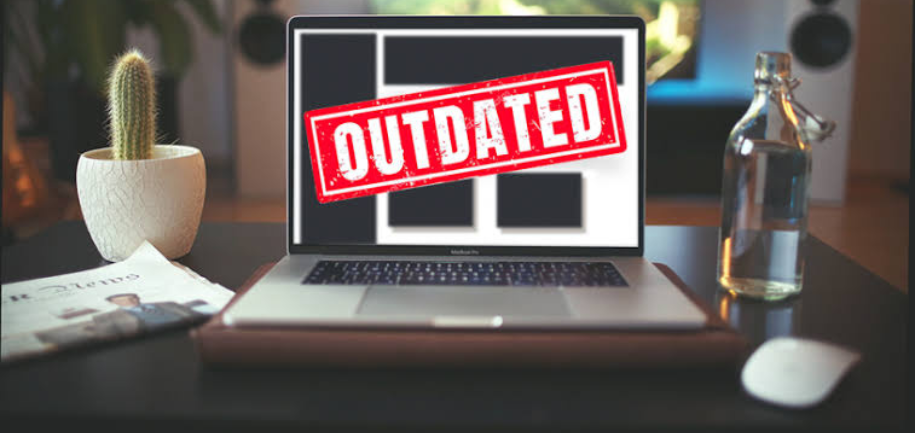
An outdated website is not simply one that has an older-looking design. It can also have technical, usability, security, content, and performance problems.
In this guide, we explain the most common signs that a website needs an update or complete redesign.
1. The Website Does Not Work Well on Mobile
One of the clearest signs of an outdated website is poor mobile performance.
Modern websites should work properly across smartphones, tablets, laptops, and desktop computers.
Check whether:
- Text is easy to read on a phone
- Buttons are large enough to tap
- Images fit the screen
- Menus work correctly
- Forms are easy to complete
- Visitors do not need to zoom in
- Content does not extend beyond the screen
If visitors struggle to use your website on a mobile device, it may be time for an update.
2. The Website Loads Slowly
Website speed is another important warning sign.
Visitors expect pages to load quickly. A slow website can create a poor user experience and may result in visitors leaving before they find what they need.
Common causes of slow websites include:
- Large images
- Too many plugins
- Unnecessary scripts
- Poor hosting
- Outdated software
- Unoptimised code
- Excessive third-party tools
Test important pages on both mobile and desktop devices to identify performance problems.
3. The Design Looks Old
Design trends naturally change over time.
An outdated website may have:
- Cluttered layouts
- Too many colours
- Small text
- Poor-quality images
- Excessive animations
- Old-fashioned buttons
- Large blocks of text
- Inconsistent spacing
- Difficult navigation
A website does not need to follow every design trend, but it should look clean, professional, and appropriate for your industry.
4. The Content Is Outdated
Sometimes the biggest problem is not the design but the information on the website.
Check for:
- Old phone numbers
- Incorrect addresses
- Former employees
- Expired offers
- Old company information
- Outdated service descriptions
- Old statistics
- Broken references
- Outdated pricing
If visitors cannot trust the information on your website, they may choose another business.
Review your important pages regularly and update information whenever your business changes.
5. Your Website Is Difficult to Navigate
A modern website should make it easy for visitors to find information.
If users have to search through several pages to find your services, contact information, prices, or products, the website structure may need improvement.
Check your navigation and ask:
- Can visitors quickly find important pages?
- Are menu labels clear?
- Is the navigation consistent?
- Can users easily return to the homepage?
- Are important pages easy to access?
Simple navigation can make a major difference to the overall user experience.
6. There Are Broken Links
Broken links are another common sign of poor website maintenance.
Click through your important pages and check whether links still work.
Look for:
- Broken internal links
- Incorrect URLs
- Missing pages
- Broken buttons
- Missing images
- Outdated external links
Regularly checking your website can help identify these problems before customers encounter them.
7. The Website Uses Outdated Technology
Technology changes quickly, and websites need to be maintained as technology evolves.
An outdated website may depend on:
- Unsupported software
- Old plugins
- Outdated themes
- Old coding practices
- Unsupported browser features
- Unmaintained third-party integrations
Old technology can create compatibility, security, and performance problems.
If your website has not been technically maintained for several years, it is worth having a professional review the underlying system.
8. Your Website Is Not Secure
Security should be a priority for every website.
Check that your website uses HTTPS and has a valid SSL certificate.
You should also keep relevant software, plugins, themes, and integrations updated.
Security problems can damage customer trust and potentially expose business or customer information.
If your website has not received security updates for a long time, professional maintenance may be necessary.
9. The Website Has Poor Search Visibility
Another potential sign of an outdated website is declining organic traffic or poor search visibility.
SEO requirements and user behaviour change over time. An older website may have problems with:
- Page structure
- Mobile usability
- Website speed
- Content quality
- Internal linking
- Metadata
- Technical SEO
- Duplicate content
A website redesign should consider SEO from the beginning so that improvements to the design do not unnecessarily damage existing search traffic.
10. Visitors Are Not Taking Action
A website should have clear goals.
Depending on your business, you may want visitors to:
- Call you
- Complete a contact form
- Request a quote
- Book an appointment
- Buy a product
- Sign up for a newsletter
- Visit your physical location
If visitors regularly leave without taking action, the website may have usability or conversion problems.
Review your calls to action and make sure visitors can easily understand what to do next.
11. Your Website Is Difficult to Update
If making a simple change requires contacting a developer every time, your website may not have an efficient content management system.
For many businesses, it should be reasonably easy to update:
- Text
- Images
- Blog posts
- Services
- Products
- Contact information
- Offers
A modern content management system can make routine updates much easier.
12. The Website Does Not Match Your Brand
Businesses evolve over time.
Your company may have changed its:
- Logo
- Colours
- Services
- Target audience
- Products
- Brand messaging
- Business location
If your website still represents how your company looked several years ago, it may no longer accurately reflect your brand.
Your website should communicate the current identity of your business.
13. The Website Has Poor Accessibility
Accessibility is another area worth checking.
A website should be usable by as many people as reasonably possible.
Potential accessibility problems include:
- Poor colour contrast
- Tiny text
- Missing image descriptions
- Difficult keyboard navigation
- Unclear form labels
- Poor heading structure
- Inaccessible buttons
Improving accessibility can make your website easier to use for a wider range of visitors.
14. Your Website Does Not Integrate With Modern Tools
Businesses often use different tools to manage leads, customers, marketing, bookings, payments, and other processes.
An outdated website may not integrate effectively with the systems your business now uses.
You may need integrations with:
- CRM systems
- Email marketing platforms
- Booking systems
- Payment providers
- Accounting software
- Customer support tools
- Analytics platforms
If your website creates unnecessary manual work, it may benefit from a technical upgrade.
15. Your Competitors Have Much Better User Experiences
Looking at competitor websites can provide useful information.
If competing businesses offer:
- Easier navigation
- Better mobile experiences
- Faster pages
- Clearer information
- Better product presentation
- Simpler contact processes
your website may need improvement.
However, the goal should not be to copy competitors. Instead, identify areas where your customers may be experiencing unnecessary difficulty.
How Often Should You Redesign a Website?
There is no fixed rule that says every website needs to be redesigned after a certain number of years.
Some websites may need significant changes after a few years, while others can remain effective for much longer with regular maintenance.
Instead of focusing only on the age of your website, consider its:
- Performance
- Security
- Design
- Mobile usability
- Content
- SEO
- Accessibility
- Conversion rate
- Business requirements
A well-maintained website does not necessarily need a complete redesign simply because it is several years old.
Website Redesign vs Website Refresh
Not every outdated website needs to be rebuilt from scratch.
Website Refresh
A refresh may involve:
- Updating colours
- Replacing images
- Improving typography
- Updating content
- Improving navigation
- Fixing technical problems
- Optimising performance
This can be suitable when the existing website has a solid technical foundation.
Complete Website Redesign
A redesign may be necessary when the website has major problems with:
- Technology
- Structure
- Performance
- Mobile usability
- Security
- User experience
A redesign provides an opportunity to rethink the entire website rather than simply changing its appearance.
How to Check If Your Website Is Outdated
You can perform a basic website audit by checking the following areas:
Design
Does the website look modern, clean, and professional?
Mobile
Does every important page work properly on smartphones?
Speed
Do pages load quickly enough for visitors?
Content
Is all information accurate and current?
Navigation
Can visitors find important information easily?
Security
Is the website secure and properly maintained?
SEO
Is the website technically structured for search visibility?
Conversions
Can visitors easily contact you, make a purchase, or complete another important action?
If you identify problems across several of these areas, your website may need more than a few small updates.
Final Thoughts
Knowing how to tell if a website is outdated requires looking beyond its visual appearance.
A website may be outdated if it is difficult to use on mobile devices, loads slowly, contains old information, has broken links, uses unsupported technology, creates security concerns, or makes it difficult for visitors to take action.
Before deciding to completely redesign your website, identify the specific problems first. Some websites may only need a content or design refresh, while others may benefit from a complete rebuild.
The goal is not simply to create a newer-looking website. The goal is to create a website that is fast, secure, mobile-friendly, accessible, easy to use, easy to maintain, and aligned with your current business goals.