
Introduction
A business website is one of your most valuable digital assets. However, launching your website is only the beginning. Without regular maintenance, even the best-designed website can become slow, insecure, outdated, and less effective at generating leads.
Whether you own a local business, an online store, or a service-based company, maintaining your website helps improve security, performance, search engine rankings, and customer trust.
In this comprehensive website maintenance checklist, you’ll learn exactly what small businesses should do to keep their websites running smoothly throughout the year.
Why Website Maintenance Matters
Website maintenance is essential because it helps:
- Protect your website from hackers and malware
- Improve loading speed
- Increase customer trust
- Prevent website downtime
- Keep your content accurate
- Improve SEO rankings
- Ensure compatibility with modern browsers and devices
Ignoring maintenance can lead to security vulnerabilities, broken pages, lost traffic, and missed business opportunities.
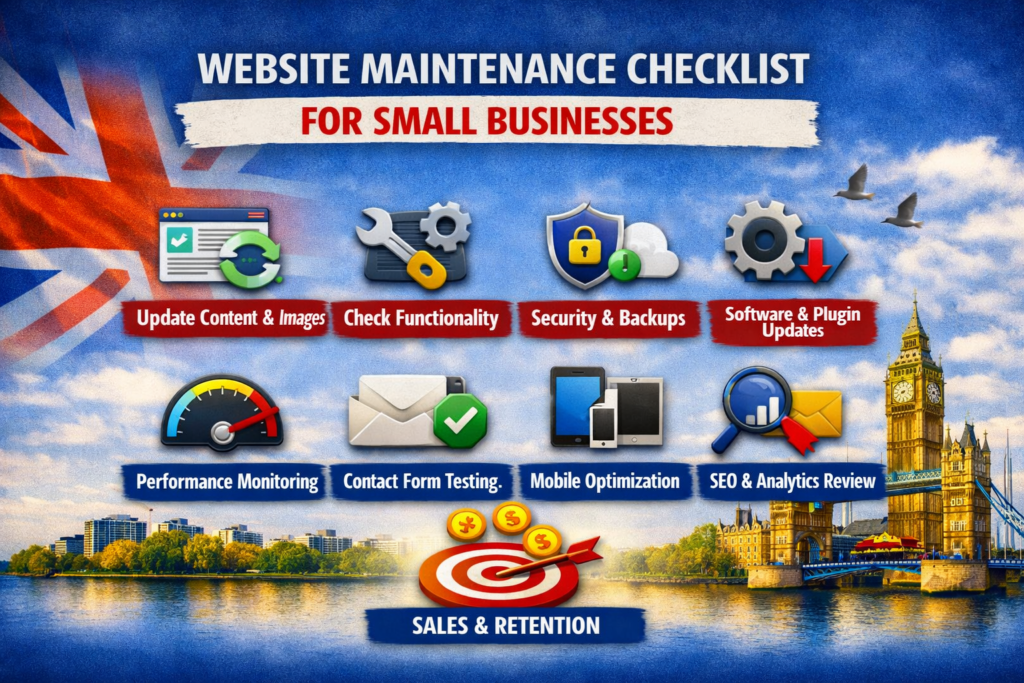
Daily Website Maintenance Tasks
Check Website Availability
Visit your website every day to ensure it is loading correctly.
Look for:
- Error messages
- Broken layouts
- Missing images
- Slow loading pages
Even a few hours of downtime can affect customer confidence.
Review Contact Forms
Test all important forms including:
- Contact forms
- Quote request forms
- Appointment booking forms
- Newsletter signup forms
A broken form could mean losing valuable leads without realizing it.
Monitor Website Security
Watch for unusual activity such as:
- Unexpected admin logins
- Unknown user accounts
- Suspicious files
- Security alerts
If you’re using WordPress, a security plugin can notify you of potential threats.
Weekly Website Maintenance Checklist
Update WordPress Core
Always install the latest version of WordPress after confirming compatibility.
Updates often include:
- Security fixes
- Bug fixes
- Performance improvements
- New features
Before updating, create a complete website backup.
Update Themes
Outdated themes can introduce security vulnerabilities.
Weekly checks should include:
- Available updates
- Theme compatibility
- Visual testing after updates
Never ignore theme updates for long periods.
Update Plugins
Plugins receive regular updates to improve security and functionality.
Remove:
- Unused plugins
- Abandoned plugins
- Duplicate plugins
Keeping only essential plugins reduces security risks.
Create Website Backups
Every website should have automated backups.
Store backups in multiple locations, such as:
- Cloud storage
- External drive
- Hosting backup system
Test backups occasionally to ensure they can be restored successfully.
Monthly Website Maintenance Tasks
Check Website Speed
Fast websites improve user experience and SEO.
Test your website using speed testing tools and monitor:
- Page load time
- Core Web Vitals
- Image optimization
- JavaScript performance
Compress images and remove unnecessary scripts if needed.
Scan for Broken Links
Broken links frustrate visitors and hurt search engine rankings.
Check for:
- 404 errors
- Broken internal links
- Outdated external links
- Missing images
Fix or redirect broken pages promptly.
Review SEO Performance
Monitor:
- Organic traffic
- Keyword rankings
- Click-through rate
- Indexed pages
Also update:
- Meta titles
- Meta descriptions
- Internal linking
- Alt text for images
Fresh SEO improvements help maintain search visibility.
Refresh Website Content
Keep your website current by updating:
- Service pages
- Pricing
- Team members
- Testimonials
- Blog articles
- Contact information
Search engines favor websites with regularly updated content.
Quarterly Website Maintenance Checklist
Review Website Analytics
Analyze visitor behavior using analytics tools.
Pay attention to:
- Most visited pages
- Bounce rate
- Conversion rate
- Traffic sources
- Device usage
Use this information to improve user experience.
Test Mobile Responsiveness
More than half of website traffic comes from mobile devices.
Check:
- Navigation
- Buttons
- Images
- Forms
- Text readability
Your website should function perfectly on smartphones and tablets.
Check Browser Compatibility
Test your website on multiple browsers including:
- Chrome
- Edge
- Firefox
- Safari
Ensure consistent functionality across all platforms.
Annual Website Maintenance Tasks
Review Website Design
Design trends and customer expectations change over time.
Ask yourself:
- Does the design still look modern?
- Is navigation easy?
- Are calls-to-action visible?
- Does the homepage reflect current branding?
Sometimes a minor refresh can significantly improve conversions.
Audit Website Security
Perform a complete security review.
Check:
- SSL certificate
- User permissions
- Password policies
- Firewall settings
- Malware scans
Cybersecurity should remain a top priority for every business.
Evaluate Hosting Performance
If your website has become slower or experiences downtime, it may be time to upgrade your hosting plan.
Reliable hosting improves:
- Website speed
- Security
- Uptime
- Customer experience
Website Maintenance Checklist Summary
Here’s a simple checklist you can follow:
Daily
- Check website availability
- Test contact forms
- Monitor security alerts
Weekly
- Update WordPress
- Update plugins
- Update themes
- Create backups
Monthly
- Check website speed
- Fix broken links
- Review SEO
- Update content
Quarterly
- Review analytics
- Test mobile responsiveness
- Check browser compatibility
Annually
- Review website design
- Perform security audit
- Evaluate hosting performance
Common Website Maintenance Mistakes
Avoid these common errors:
- Ignoring software updates
- Never creating backups
- Using weak passwords
- Installing too many plugins
- Forgetting SEO maintenance
- Leaving broken links unresolved
- Neglecting mobile optimization
Small mistakes can eventually become costly problems.
Benefits of Regular Website Maintenance
Consistent website maintenance provides numerous long-term benefits:
- Better Google rankings
- Faster loading speeds
- Improved security
- Higher conversion rates
- Better customer experience
- Reduced downtime
- Lower repair costs
A well-maintained website supports business growth and builds trust with visitors.
Final Thoughts
Website maintenance isn’t just a technical task—it’s an investment in your business’s online success. By following a regular maintenance schedule, small businesses can protect their websites, improve performance, strengthen SEO, and provide a better experience for customers.
Instead of waiting until something breaks, make website maintenance part of your routine. A few hours each month can save significant time, money, and lost opportunities in the future.
Frequently Asked Questions (FAQs)
How often should a small business maintain its website?
Basic checks should be performed daily, updates weekly, performance reviews monthly, and full audits annually.
Is website maintenance necessary if nothing seems wrong?
Yes. Many issues such as security vulnerabilities or outdated software aren’t immediately visible but can become serious over time.
How much does website maintenance cost?
Costs vary depending on the size of the website. Small businesses often spend anywhere from $20 to $300 per month, depending on whether maintenance is handled internally or by a professional.
Does website maintenance improve SEO?
Yes. Regular updates, faster loading times, fixing broken links, and fresh content all contribute to better search engine rankings.
Can I maintain my WordPress website myself?
Yes, many small business owners can manage routine maintenance with the right tools and knowledge. However, hiring a professional may be worthwhile for complex websites or ongoing technical support.