
Introduction
Website speed is one of the most important factors in creating a successful online presence. Visitors expect websites to load quickly, and a slow website can lead to higher bounce rates, fewer conversions, and a poor user experience.
A fast website can also support better SEO performance and help customers find the information they need more efficiently.
The good news is that you don’t always need to rebuild your entire website to make it faster. By optimizing images, improving hosting, reducing unnecessary code, and using caching, you can often achieve significant performance improvements.
In this guide, we’ll explain how to make a website load faster and the most effective steps businesses can take to improve website performance.
Why Website Speed Matters
A slow website can negatively affect your business in several ways.
It can lead to:
- Higher bounce rates
- Lower conversions
- Poor user experience
- Fewer page views
- Reduced customer satisfaction
- Weaker search performance
For an ecommerce website, even small performance problems can result in customers abandoning their shopping carts.
Website speed should therefore be treated as both a technical and business priority.
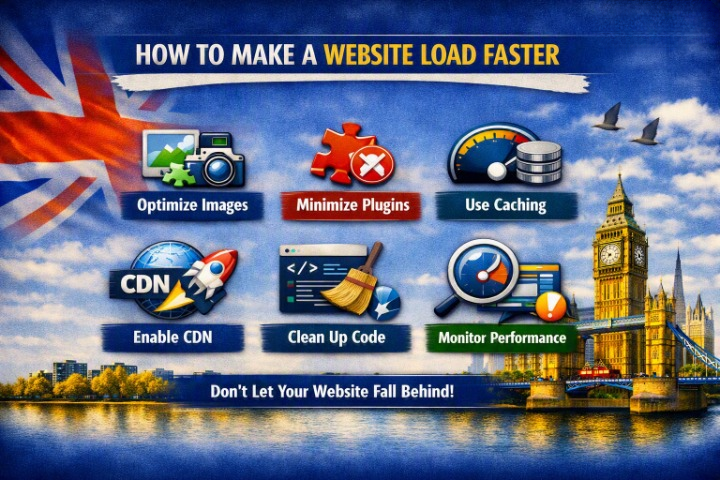
1. Optimize Your Images
Large image files are one of the most common causes of slow websites.
Before uploading images, make sure they are appropriately sized and compressed.
Best practices include:
- Compress images before uploading
- Use WebP or AVIF when appropriate
- Avoid uploading unnecessarily large images
- Use responsive image sizes
- Add lazy loading where appropriate
For example, don’t upload a 5 MB photograph if the website only displays it at 800 pixels wide.
2. Choose Reliable Web Hosting
Your hosting provider has a major impact on website performance.
Cheap hosting can sometimes result in:
- Slow server response times
- Limited resources
- Performance problems during traffic spikes
- Poor uptime
Look for hosting that provides:
- Fast server infrastructure
- SSD or NVMe storage
- Good server response times
- Adequate resources
- Reliable support
- Data centres close to your target audience
If your website remains slow despite optimization, your hosting could be part of the problem.
3. Use Website Caching
Caching stores frequently requested website resources so they can be delivered faster.
There are several types of caching, including:
- Browser caching
- Page caching
- Object caching
- Server-side caching
For WordPress websites, caching plugins can simplify this process.
Caching can significantly reduce server processing time and improve page load performance.
4. Minify CSS and JavaScript
CSS and JavaScript files can contain unnecessary spaces, comments, and formatting.
Minification reduces file sizes by removing unnecessary characters without changing functionality.
You can also improve performance by:
- Removing unused CSS
- Delaying non-critical JavaScript
- Loading scripts only when needed
- Combining files where appropriate
Be careful when changing JavaScript settings because aggressive optimization can sometimes break website functionality.
5. Use a Content Delivery Network (CDN)
A Content Delivery Network distributes website resources across multiple servers around the world.
When someone visits your website, resources can be delivered from a server geographically closer to them.
A CDN can help improve:
- Page loading times
- Global performance
- Website availability
- Traffic handling
This is particularly useful if your customers are located across different countries.
6. Reduce Unnecessary Plugins
If you’re using WordPress, installing too many plugins can affect website performance.
Review your plugins regularly and remove those you don’t need.
Look for:
- Duplicate functionality
- Unused plugins
- Poorly maintained plugins
- Plugins loading resources site-wide unnecessarily
Quality is more important than simply counting plugins. A well-coded plugin may have little performance impact, while one poorly optimized plugin can cause significant problems.
7. Optimize Your Database
WordPress websites can accumulate unnecessary database information over time.
This can include:
- Post revisions
- Spam comments
- Trashed content
- Temporary data
- Unused metadata
Regular database maintenance can help keep your website efficient.
Always create a backup before performing database cleanup.
8. Enable Browser Caching
Browser caching allows visitors’ browsers to store certain website resources locally.
When they return to your website, their browser may not need to download everything again.
You can configure caching for resources such as:
- Images
- CSS
- JavaScript
- Fonts
Proper cache settings can improve repeat-visit performance.
9. Lazy Load Images and Videos
Lazy loading delays loading certain resources until they’re needed.
Instead of loading every image immediately, images lower down the page can load when visitors scroll toward them.
This can reduce the initial page load and improve perceived performance.
However, important above-the-fold images should generally be prioritized rather than lazily loaded.
10. Optimize Web Fonts
Fonts can also affect loading speed.
To improve font performance:
- Use fewer font families
- Reduce unnecessary font weights
- Use modern font formats
- Consider system fonts
- Preload only critical fonts when appropriate
Avoid loading multiple font families and dozens of unnecessary font styles.
11. Reduce Redirects
Redirects add additional steps before a browser reaches the final page.
Too many redirects can slow down navigation.
Review your website for unnecessary redirect chains and make sure important URLs point directly to their final destinations.
12. Remove Unnecessary Third-Party Scripts
Third-party tools can add significant loading overhead.
Examples include:
- Chat widgets
- Tracking scripts
- Advertising scripts
- Social media widgets
- Heatmap tools
- External fonts
Only use third-party scripts that provide genuine value to your business.
13. Improve Core Web Vitals
Google’s Core Web Vitals are designed to measure important aspects of user experience.
Key metrics include:
Largest Contentful Paint (LCP)
Measures how quickly the main content becomes visible.
Interaction to Next Paint (INP)
Measures how responsive a page is to user interactions.
Cumulative Layout Shift (CLS)
Measures unexpected movement of page elements while loading.
Improving these metrics can create a smoother user experience.
14. Keep WordPress, Themes, and Plugins Updated
Outdated software can create security and performance problems.
Regularly update:
- WordPress core
- Themes
- Plugins
- Server software where applicable
Before major updates, create a backup and test the website afterward.
15. Use GZIP or Brotli Compression
Compression reduces the size of files transferred between your server and visitors.
Modern websites can use technologies such as:
- GZIP
- Brotli
Your hosting provider or CDN may already support compression, so check your configuration before adding another solution.
16. Optimize Your Homepage
Your homepage is often one of the most visited pages on your website.
Avoid overwhelming it with:
- Huge image sliders
- Autoplay videos
- Excessive animations
- Dozens of plugins
- Unnecessary sections
- Large background images
Focus on essential content and keep the page lightweight.
17. Test Your Website Speed
Don’t rely on how fast your website feels on your own computer.
Test it using performance tools and check both mobile and desktop results.
Look at:
- Loading performance
- Core Web Vitals
- Server response time
- Image sizes
- JavaScript execution
- CSS issues
Run tests regularly to identify new performance problems.
Website Speed Optimization Checklist
Use this checklist to improve your website performance:
- Compress images
- Use WebP or AVIF where appropriate
- Choose reliable hosting
- Enable page caching
- Use a CDN when beneficial
- Minify CSS and JavaScript
- Remove unnecessary plugins
- Optimize the database
- Enable browser caching
- Lazy-load suitable images and videos
- Optimize web fonts
- Reduce unnecessary redirects
- Remove unnecessary third-party scripts
- Improve Core Web Vitals
- Keep software updated
- Enable GZIP or Brotli compression
- Test mobile performance regularly
Common Website Speed Mistakes
Avoid these common mistakes:
Uploading huge images
Large images can consume significant bandwidth and slow down pages.
Installing too many plugins
More plugins can mean more scripts and database activity.
Using cheap hosting
Limited server resources can become a bottleneck.
Adding too many tracking tools
Every external script can add loading overhead.
Ignoring mobile performance
A website that loads quickly on a desktop computer may still perform poorly on mobile.
How Fast Should a Website Load?
There isn’t one universal loading-time number that guarantees a good experience.
Instead of focusing only on a single stopwatch measurement, monitor real-user performance and Core Web Vitals.
Aim to make important content appear quickly, keep pages responsive, and minimize unexpected layout movement.
The goal is simple: make your website feel fast and responsive to real visitors.
Does Website Speed Affect SEO?
Website performance can contribute to search visibility, but speed is only one part of SEO.
Search engines consider many factors, including:
- Content quality
- Relevance
- Mobile usability
- Page experience
- Technical SEO
- Website structure
- Links and authority
Improving speed is therefore important, but it should be part of a broader SEO strategy.
Final Thoughts
Making a website load faster doesn’t necessarily require a complete redesign.
Start with the biggest performance issues: optimize images, improve hosting, enable caching, reduce unnecessary scripts, use a CDN when appropriate, and monitor Core Web Vitals.
For WordPress websites, regularly reviewing plugins, themes, database performance, and hosting can also make a significant difference.
A faster website provides a better experience for visitors, supports conversions, and gives your business a stronger technical foundation for SEO and long-term growth.
Frequently Asked Questions
Why is my website loading slowly?
Common causes include large images, slow hosting, excessive plugins, unoptimized JavaScript, third-party scripts, poor caching, and inefficient website code.
How can I make my WordPress website faster?
Start by optimizing images, using reliable hosting, enabling caching, reducing unnecessary plugins, optimizing CSS and JavaScript, and improving Core Web Vitals.
Does a CDN make a website faster?
A CDN can improve performance by serving static resources from geographically distributed servers, particularly for visitors located far from your main hosting server.
Does website speed affect Google rankings?
Performance and page experience can be ranking considerations, but they are only part of Google’s overall ranking systems. High-quality, relevant content remains essential.
Can too many plugins slow down WordPress?
Yes, some plugins can add scripts, database queries, or other processing that affects performance. Plugin quality and how they are configured matter more than simply the number installed.
How often should I test website speed?
It’s useful to monitor performance regularly and after major website changes, plugin updates, redesigns, or hosting changes. Regular monitoring helps you identify problems before they affect a large number of visitors.