
Customer reviews play a major role in building trust and credibility online. When visitors land on your website and see real feedback from satisfied customers, they feel more confident about choosing your business. Many businesses collect reviews on Google Business Profile but often overlook a powerful strategy: displaying them directly on their website.
If you learn how to add Google reviews to your website, you can turn customer feedback into a powerful marketing tool that improves credibility, increases conversions, and strengthens SEO.
This guide will show you everything you need to know about how to add Google reviews to a WordPress website, including plugins, manual methods, SEO strategies, and best practices.
Why Businesses Should Add Google Reviews to Their Website
Before learning the technical steps to add Google reviews to your website, it’s important to understand why these reviews matter for your business. Customer reviews play a significant role in shaping how potential clients perceive your brand online. Reviews collected through Google Maps and Google Business Profile are widely trusted because they come from real customers who have experienced your products or services firsthand. Unlike promotional content from businesses, these reviews offer genuine opinions and honest feedback, making them more credible to new visitors.
When potential customers see positive reviews, they feel more confident about choosing your business over competitors. By displaying these reviews directly on your website, you create a strong sense of transparency and authenticity. This not only helps build trust but also encourages visitors to spend more time exploring your site. Ultimately, showcasing real customer experiences can influence buying decisions and strengthen your brand’s reputation in a competitive online marketplace.

Builds Instant Trust
Visitors trust feedback from other customers more than promotional messages. When you add Google reviews to your website, you provide authentic proof that your business delivers value.
Improves Conversion Rates
Seeing real testimonials reduces hesitation. Businesses that add Google reviews to their pages often notice higher inquiries and purchases.
Strengthens SEO Signals
Search engines consider reviews a ranking factor. When businesses collect and display reviews from Google, they strengthen their credibility in local search results.
Enhances Brand Reputation
When potential customers see positive feedback directly on your website, your brand appears more reliable and professional.
What Are Google Reviews?
Google reviews are ratings and feedback left by customers on a company’s listing in Google Business Profile.
These reviews include:
- star ratings
- written feedback
- images from customers
- timestamps
- reviewer names
Businesses that collect and display this feedback create strong social proof for new customers.
How to Collect Reviews Before You Add Google Reviews
Before you can add Google reviews to your website, you need to collect them. Here are some proven methods.
Ask Customers Directly
The simplest way to collect feedback is to ask satisfied customers to leave a review on Google Maps. Businesses that politely request feedback after completing a service tend to receive more responses.
Send Review Links by Email
Sending a direct review link via email makes it easier for customers to respond. When customers can leave feedback in seconds, it becomes easier to collect reviews and later add Google reviews to your website.
Use SMS Review Requests
Many businesses now send review links through SMS. This method often produces faster responses.
Display Review QR Codes
Physical stores can place QR codes that link directly to their review page on Google Maps. Customers simply scan the code and submit feedback.
Methods to Add Google Reviews to a WordPress Website
If your website runs on WordPress, there are multiple ways to add google reviews to your pages.
The most common methods include:
- Using a WordPress plugin
- Embedding reviews manually
- Using an API integration
Let’s explore each option.
Method 1: Use a WordPress Plugin (Easiest Method)
Plugins provide the simplest and most efficient way to add Google reviews to a WordPress website. Instead of manually embedding code or working with complex integrations, WordPress plugins automate the entire process. These tools connect directly with your Google Business Profile and automatically import customer reviews so they can be displayed on different pages of your site. Once connected, the plugin regularly updates your website with the latest reviews, ensuring visitors always see fresh feedback from real customers.
Popular options used by many website owners include Trustindex, Widgets for Google Reviews, and WP Business Reviews. Each of these plugins offers customizable layouts such as sliders, grids, or carousels, allowing you to present reviews in a visually appealing way. The biggest advantage is that they require no coding knowledge. With just a few simple settings, you can easily add Google reviews to your WordPress website and enhance credibility with authentic customer testimonials.
Steps to Add Reviews Using a Plugin
- Log in to your WordPress dashboard
- Navigate to Plugins → Add New
- Install a review plugin
- Connect your Google Business account
- Choose a display style
- Insert the widget on your page
Once configured, the plugin automatically updates reviews on your website.
Method 2: Embed Reviews Manually
Another method to add Google reviews is by embedding them directly from Google Maps.
Steps include:
- Search for your business on Google Maps
- Click the share option
- Copy the embed code
- Paste it into your website page
While this method works, customization options are limited.
Method 3: Use Google Places API
Developers can also use the Google Places API to dynamically add Google reviews to websites.
This method allows businesses to:
- create custom review layouts
- automatically update reviews
- build sliders or review carousels
However, API integration requires technical expertise.
Best Ways to Display Google Reviews
After you add Google reviews, how they appear on your website matters. Different display styles can improve user engagement.
Review Carousel
A carousel rotates reviews automatically so visitors can read multiple testimonials.
Review Grid
This layout shows several reviews at once, making it easier for users to scan feedback quickly.
Review Slider
A slider highlights one review at a time with smooth transitions.
Page builders like Elementor and WPBakery Page Builder allow easy customization of these layouts.
SEO Benefits When You Add Google Reviews
Displaying reviews offers major SEO advantages.
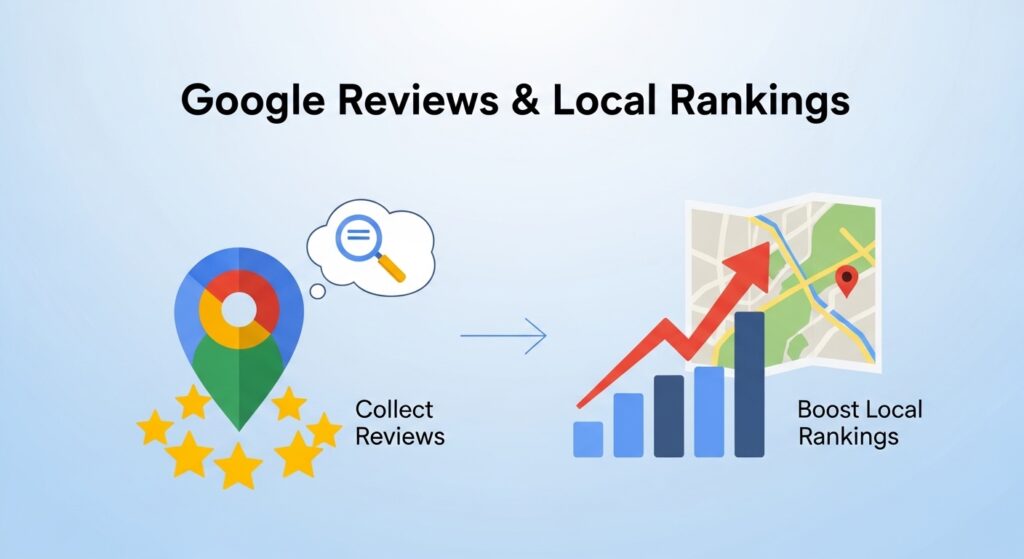
Local Search Rankings
Businesses that regularly collect feedback on Google Business Profile often perform better in local searches.
Rich Snippets
Structured data using Schema.org allows star ratings to appear in search results. These rich snippets attract more clicks.
Higher Engagement
When businesses add Google reviews, visitors spend more time on the website reading customer experiences. Longer engagement signals quality to search engines.
Best Practices When Adding Google Reviews
To maximize results when you add Google reviews, follow these best practices.
Display Recent Reviews
Fresh reviews show that your business remains active.
Highlight Star Ratings
Star ratings should be clearly visible.
Respond to Reviews
Replying to feedback demonstrates excellent customer service.
Avoid Fake Reviews
Authenticity matters. Fake reviews damage credibility and may violate Google guidelines.
Common Issues When Adding Google Reviews
Sometimes businesses face technical problems when they try to add Google reviews.
Reviews Not Showing
Sometimes, reviews may not appear on your website after you try to add Google reviews. This usually happens when the plugin is not properly connected to your Google Business account. Recheck the connection settings and ensure the correct business profile is selected.
API Errors
If you are using the Google Places API to add Google reviews, configuration errors can occur. These typically happen when the API key is missing, restricted incorrectly, or not activated in the Google Cloud Console. Always verify permissions and enable the Places API.
Reviews Not Updating
In some cases, newly posted reviews may not appear immediately on your website. This can happen due to plugin caching or synchronization delays. Clear the plugin cache, refresh the review feed, or reconnect your Google account to ensure the latest reviews display.
Professional Help for WordPress and SEO
If you want expert help to build or optimize your website, SiteGenixPro provides professional digital services for businesses across the UK. The company specializes in WordPress development, search engine optimization, and graphic design, helping businesses create high-performing websites that attract customers and build strong online brands. From designing custom WordPress websites to implementing strategies that add Google reviews and improve local visibility, SiteGenixPro focuses on delivering solutions that boost credibility, traffic, and conversions for modern businesses.
Frequently Asked Questions
Can I add Google reviews to WordPress without plugins?
Yes, you can manually embed reviews from Google Maps, although plugins offer better customization.
Do Google reviews improve SEO?
Yes. Businesses that consistently collect and display reviews often achieve stronger local search rankings.
Is it free to add Google reviews to a website?
Many WordPress plugins allow you to add Google reviews for free, though premium options provide more features.
Final Thoughts
Learning how to add Google reviews to your website is one of the simplest ways to increase credibility and improve customer trust. By collecting authentic feedback through Google Business Profile and displaying it on your WordPress website, you transform customer experiences into powerful marketing assets. When implemented correctly, reviews strengthen SEO, build trust, and help businesses stand out in competitive markets.
Start implementing these strategies today, and you’ll quickly see how effective it can be to add Google reviews and showcase real customer satisfaction.