Free shipping has evolved from being just a marketing tactic to a vital element of e-commerce strategy. Customers today often abandon carts at checkout due to unexpected shipping costs, and even a small fee can discourage purchases. For WordPress store owners using WooCommerce, offering free shipping is not just a convenience, it is a powerful tool to increase sales, improve customer satisfaction, and boost overall revenue. This guide explains in detail how to set free shipping price in WordPress, covering everything from WooCommerce configuration, shipping zones, minimum order thresholds, product-specific rules, and advanced plugin solutions to testing and optimizing your store’s checkout experience.
Whether you run a small boutique store or a large e-commerce platform, understanding how to implement free shipping strategically is essential for growing your business while protecting profit margins.
The Importance of Free Shipping
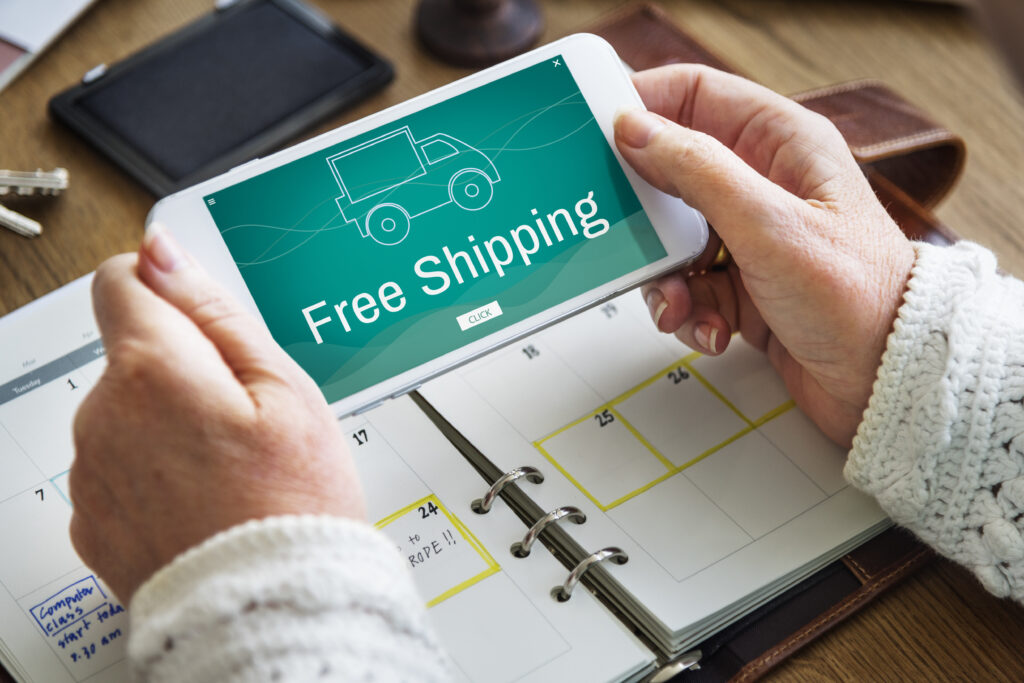
Free shipping has a profound impact on customer behavior. In many cases, the presence of free shipping can be the difference between a completed sale and an abandoned cart. Customers perceive free shipping price as a direct benefit, making them more likely to finalize their purchases. For WordPress store owners, this translates into higher conversion rates, increased average order value, and enhanced customer loyalty.
Beyond improving sales, free shipping also strengthens the store’s reputation. When implemented effectively, it signals to customers that the store is reliable, transparent, and focused on customer satisfaction. However, free shipping price must be configured carefully; offering it without limits or strategic rules can reduce margins, while overly complicated conditions may confuse buyers.
Understanding WooCommerce Shipping Settings
WooCommerce, the most popular e-commerce plugin for WordPress, provides comprehensive shipping configuration tools. Understanding these tools is the first step to implementing free shipping effectively.
Shipping in WooCommerce is organized through shipping zones, which define the geographic areas where specific shipping methods apply. Each zone can have one or multiple shipping methods, such as flat rate, free shipping, or local pickup. By organizing shipping zones, store owners can target specific regions with appropriate delivery options while maintaining profitability.
Free shipping in WooCommerce can be applied under various conditions, including minimum order amounts, specific product categories, or coupon codes. Knowing which condition works best for your business is crucial for maximizing the benefits of free shipping.
Step-by-Step Guide to Setting Free Shipping in WooCommerce
Configuring Shipping Zones
Shipping zones form the foundation of WooCommerce shipping logic. To create or modify a shipping zone:
- Navigate to WooCommerce – Settings – Shipping – Shipping Zones.
- Create a new zone or edit an existing one.
- Assign regions to the zone based on countries, states, or postal codes.
- Add shipping methods, including Free Shipping, and define conditions for eligibility.
For example, a domestic shipping zone may allow free shipping for orders above $50, while international zones may require a higher threshold or have different shipping costs. By tailoring shipping zones to regions, store owners can maintain control over costs while enhancing customer experience.
Setting Minimum Order Amounts for Free Shipping
A common and effective strategy is to require a minimum purchase amount for free shipping in wordpress. This encourages customers to add more products to their cart while covering shipping costs.
- In your shipping zone settings, select the Free Shipping method.
- Choose Minimum Order Amount as the condition.
- Set a threshold that makes sense for your store’s average order value.
For instance, if the average order is $35, offering free shipping for orders above $50 can increase total sales while maintaining profitability. Regularly monitoring customer behavior and sales data ensures thresholds remain effective.
Applying Free Shipping to Specific Products or Categories
Custom development services like WooCommerce allows you to assign shipping classes to products, which can determine eligibility for free shipping. This method is particularly useful for stores selling items with varying shipping costs.
- Go to WooCommerce – Settings – Shipping – Shipping Classes.
- Create classes for different product types, such as lightweight items or promotional products.
- Assign products to the relevant class and configure free shipping rules accordingly.
This approach allows store owners to manage costs efficiently. For example, heavy items may not qualify for free shipping, while smaller, more profitable items can benefit from it.
Offering Free Shipping Through Coupons
Coupons provide an additional layer of flexibility for offering free shipping:
- Create a coupon in WooCommerce – Marketing – Coupons.
- Enable the Allow Free Shipping option.
- Combine the coupon with other conditions, such as product categories or minimum order amounts.
Coupon-based free shipping is ideal for temporary promotions, seasonal campaigns, or rewarding loyal customers. It also creates urgency, encouraging buyers to act quickly.
Using Advanced Plugins for Conditional Free Shipping
While WooCommerce covers basic free shipping functionality, larger stores or more complex requirements often require advanced plugins. Popular options include:
- Advanced Free Shipping: Allows multiple conditions, such as cart total, shipping zone, product categories, or user roles.
- Table Rate Shipping: Supports tiered shipping rates and conditional free shipping for qualifying orders.
- Conditional Shipping and Payments: Enables precise control over shipping availability based on various factors.
These plugins are invaluable for stores with diverse product catalogs, multi-location shipping, or frequent promotional campaigns. They ensure rules are applied consistently and accurately.
Testing and Optimizing Free Shipping
Testing is crucial to ensure free shipping works as intended. Effective testing includes:
- Adding products to the cart to verify eligibility.
- Testing multiple shipping zones and product combinations.
- Confirming coupon-based free shipping activates correctly.
- Checking checkout pages on both desktop and mobile devices.
Regular testing ensures customers experience a seamless checkout process, reducing abandoned carts and maximizing conversions.
Effectively Communicating Free Shipping to Customers
Offering free shipping is only part of the strategy; communicating it clearly to your customers is equally crucial. Even if a store has generous free shipping rules, unclear messaging can lead to confusion, abandoned carts, and missed sales opportunities. Customers need to understand exactly how to qualify for free shipping so they can make informed purchasing decisions.
To communicate effectively, start by making free shipping visible throughout the shopping journey. For instance, banners on product pages highlighting statements such as “Free shipping on orders over $50” immediately draw attention and inform potential buyers of the incentive. Additionally, dynamically updating the shopping cart to show progress toward qualifying for free shipping keeps customers engaged and motivated to increase their order value. For example, a message like “Add $10 more to your cart to get free shipping” can encourage additional purchases.
Finally, ensure free shipping eligibility is clear during checkout. A simple note under the shipping method selection or at the top of the checkout page can reduce last-minute confusion and frustration. By combining clear messaging at multiple points, you can enhance customer trust, increase conversion rates, and turn free shipping into a powerful motivator for higher-value purchases.
Practical Tips for Implementing a Free Shipping Strategy
Free shipping should never be a random offer; it should be part of a broader, carefully planned business strategy. When implemented strategically, it can drive sales, improve average order value, and enhance the overall customer experience.
When setting thresholds for free shipping, consider your typical order value and profit margins. Offering free shipping too easily can erode profits, while setting the bar too high might discourage purchases. Align thresholds with your business goals, encouraging customers to add more items to their cart while maintaining profitability.
Regional segmentation is another important consideration. Shipping costs vary by location, so offering free shipping selectively in areas where it is financially feasible helps maintain control over expenses. For instance, domestic customers may receive free shipping for lower thresholds, whereas international orders might have higher minimums or conditional free shipping.
Finally, continuously monitor performance metrics. Analyze how free shipping impacts conversion rates, average order value, and profitability. Making data-driven adjustments ensures your free shipping strategy remains effective and aligned with business objectives.
Common Mistakes to Avoid When Offering Free Shipping
Even experienced store owners can make costly mistakes when configuring free shipping. Being aware of these pitfalls helps ensure your strategy supports growth rather than undermining profitability.
One frequent mistake is offering free shipping without setting any minimum thresholds. While it may initially attract customers, it can significantly reduce profit margins and make shipping costs unsustainable, especially for stores with low-margin products.
Another common error is overcomplicating free shipping rules. Complex conditions that are difficult to understand can frustrate customers, leading to abandoned carts instead of encouraging higher order value.
Many store owners also fail to test free shipping across different products, categories, and shipping zones. This can result in unintended behavior, such as free shipping being incorrectly applied to ineligible orders. Relying solely on a plugin without manual verification can compound these issues.

The Impact of Free Shipping on Customer Experience
Free shipping has a direct and measurable impact on customer experience. When implemented effectively, it enhances the shopping journey, reduces friction, and strengthens loyalty. Customers are more likely to complete their purchases when they understand the benefits of free shipping and see it applied consistently.
One key advantage is the reduction of cart abandonment. Shipping costs are one of the primary reasons shoppers abandon online carts, and offering free shipping can remove this barrier. Additionally, free shipping fosters repeat purchases and encourages customers to explore more products, increasing average order value over time.
Clear messaging about eligibility, thresholds, and product requirements ensures that free shipping motivates customers rather than causing confusion or frustration. When customers feel confident and informed, it builds trust and positions your store as customer-centric and reliable. Ultimately, free shipping not only drives immediate sales but also strengthens long-term brand loyalty, contributing to sustainable growth and improved customer satisfaction.
Conclusion
Free shipping is more than a marketing incentive, it is a strategic tool that can boost sales, improve average order value, and enhance customer satisfaction. By carefully setting minimum order thresholds, managing shipping zones, leveraging product classes, and utilizing the right plugins, WordPress store owners can implement free shipping efficiently while controlling costs.
For expert guidance on configuring free shipping, optimizing WooCommerce shipping rules, and improving your store’s checkout experience, partner with SiteGenixPro today. Our team ensures your WordPress store operates smoothly, maximizes customer satisfaction, and drives long-term growth. Don’t leave your store’s success to chance, contact us now to unlock your WooCommerce store’s full potential.